 Minibar
One menu bar slot.
The headline that matters right now.
Minibar keeps a single icon in your Mac's menu bar and fills it with the one line you should see: the next meeting, the build that just failed, the price you are watching. Click it, and the whole dashboard opens.
macOS 13 or later. English and Simplified Chinese. Free to use; Pro features come later.
Plugins are tiny JavaScript files
A manifest and one script. They render a declarative UI, run in a sandboxed JavaScriptCore process, and can only reach the hosts they declare.
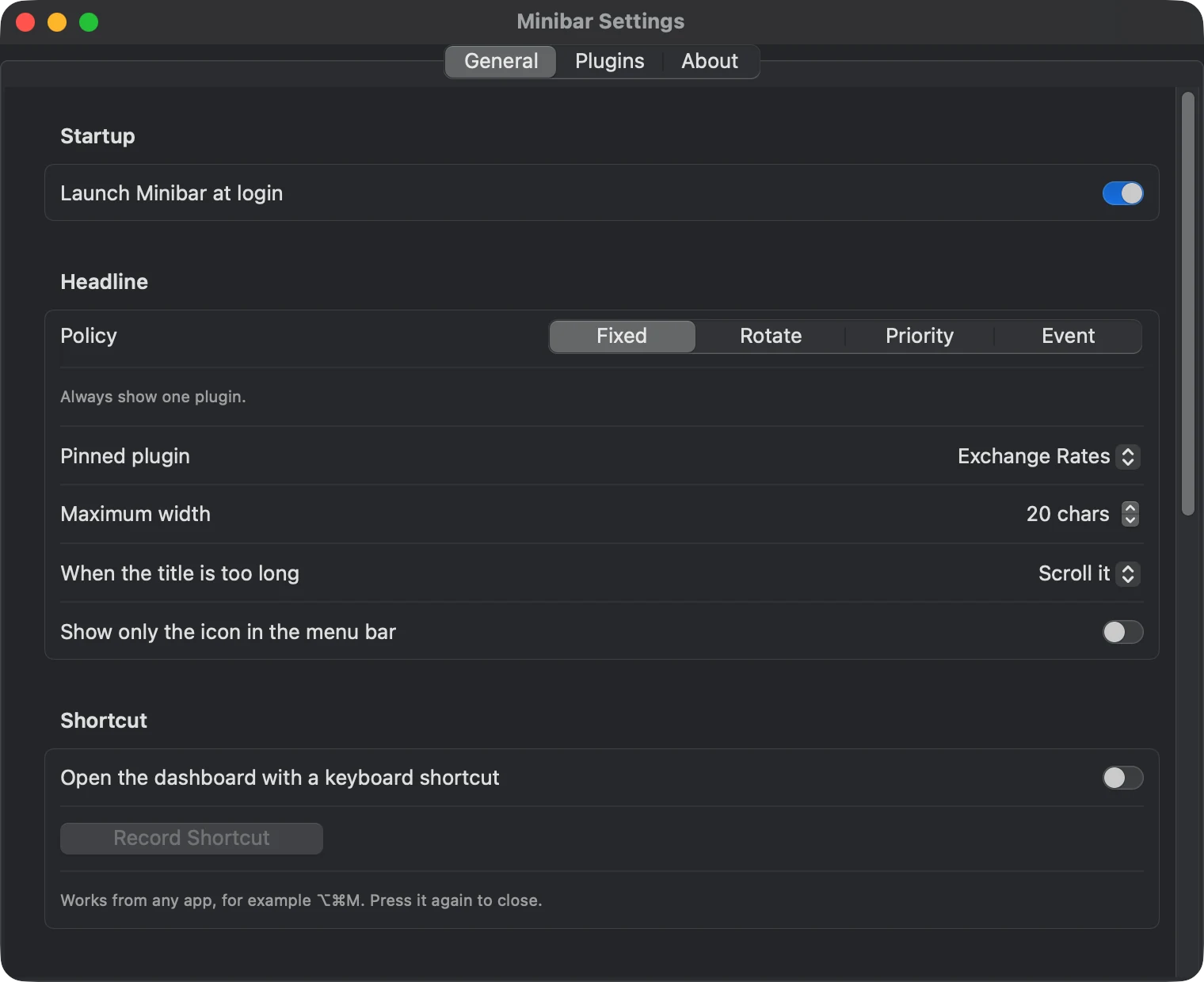
Four ways to pick the headline
Pin one plugin, rotate, score by priority and freshness, or let the newest urgent event take over for a moment.
Permissions you can see
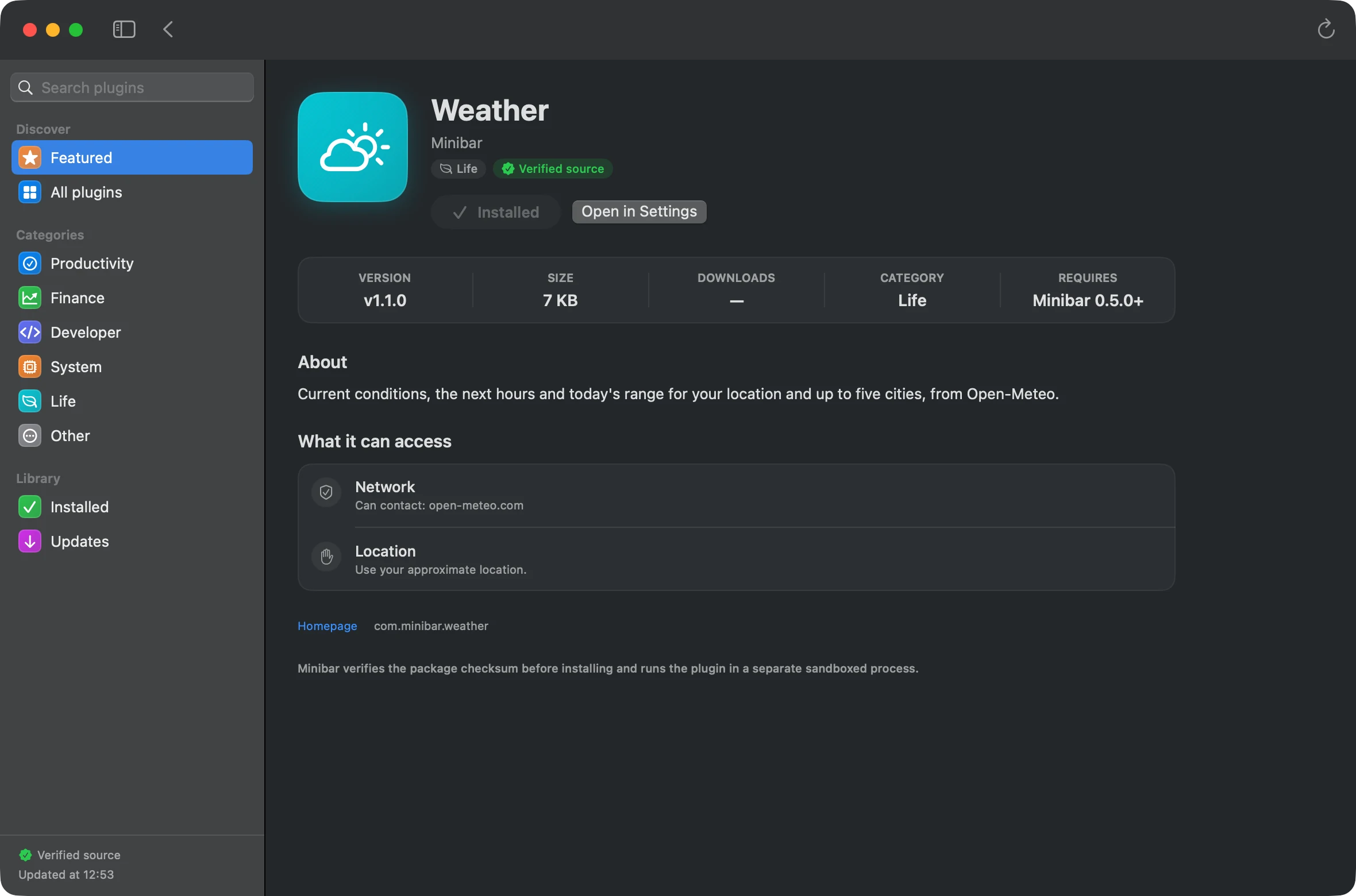
Every plugin asks for calendar, reminders, location, clipboard, files or notifications separately, and you can revoke each one at any time.
It never freezes your menu bar
Plugins run in a separate process with a watchdog. A plugin that hangs is stopped after five seconds; the rest keep working.
A market you can audit
Every plugin's source is readable inside the app. The registry is signed, packages are checksummed, and community submissions are reviewed in the open.
No accounts, no telemetry
Settings and plugin data stay in the sandboxed container on your Mac. The app never phones home.
A closer look
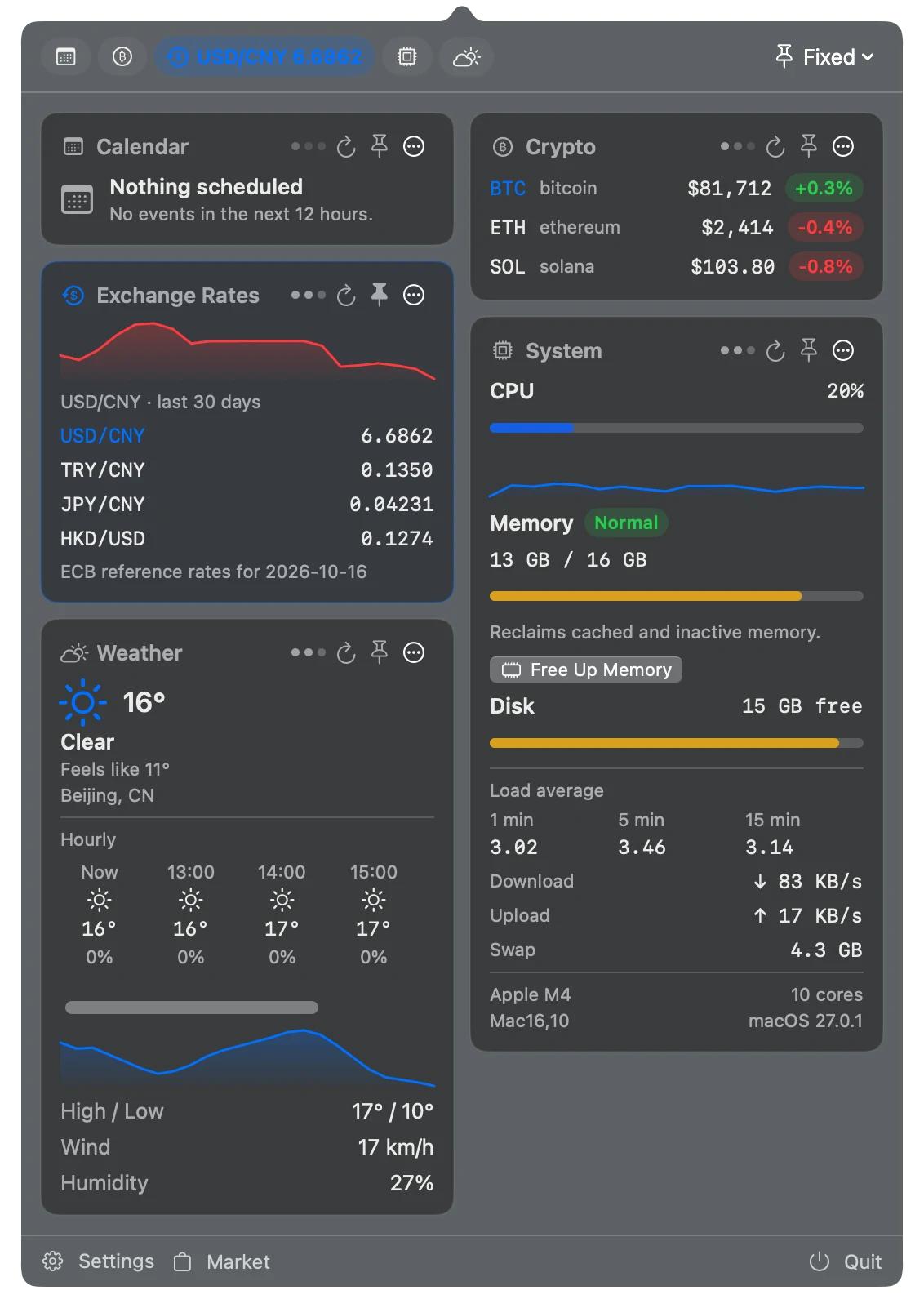
Everything below runs on your Mac. Dark mode shown; light mode follows the system.
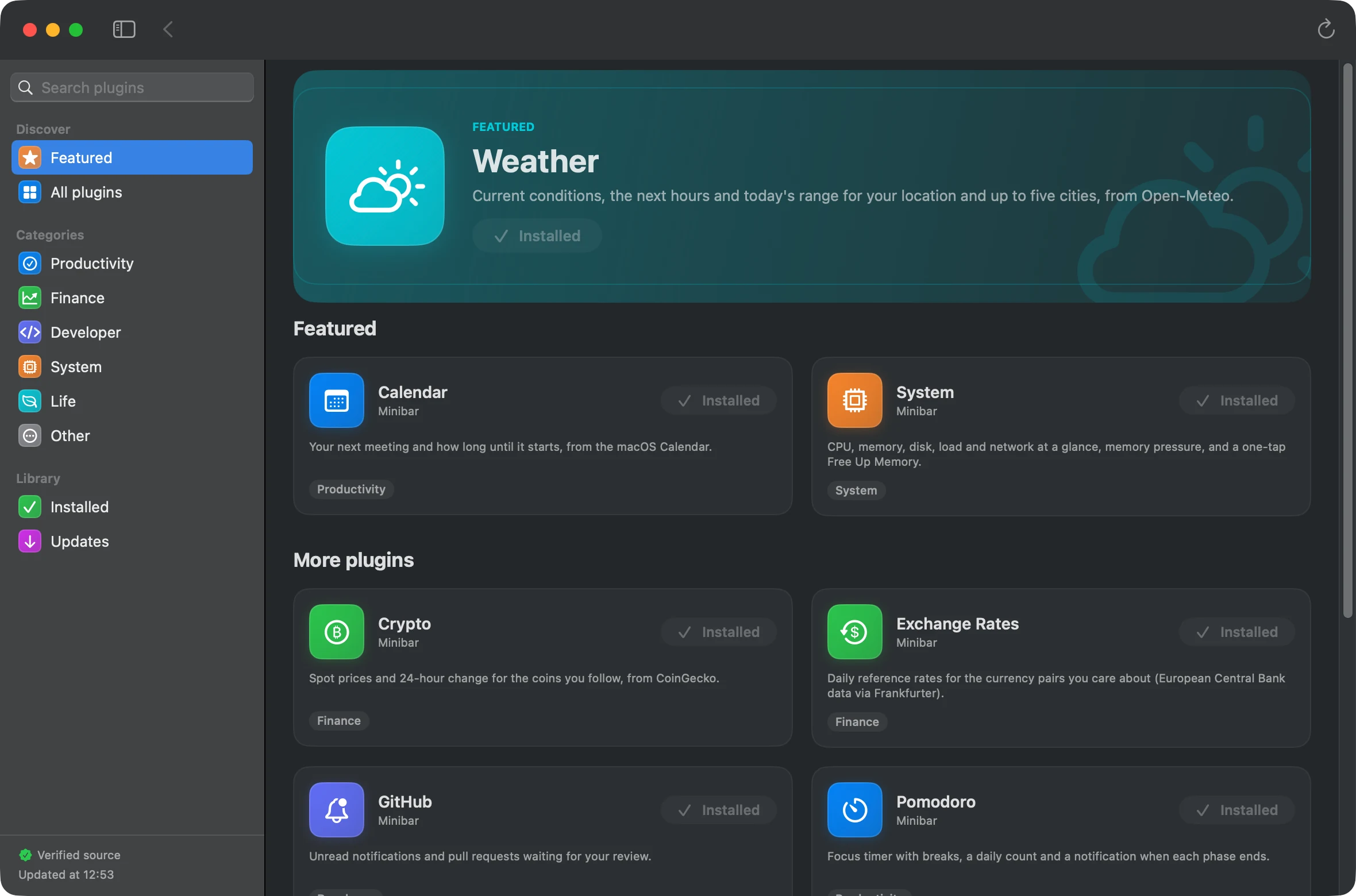
Ten plugins out of the box
Installed with the app, no accounts needed. Weather and System show data within a minute of the first launch.
Calendar
Your next meeting and how long until it starts, from the macOS Calendar.
Crypto
Spot prices and 24-hour change for the coins you follow, from CoinGecko.
Exchange Rates
Daily reference rates for the currency pairs you care about (European Central Bank data via Frankfurter).
GitHub
Unread notifications and pull requests waiting for your review.
Pomodoro
Focus timer with breaks, a daily count and a notification when each phase ends.
Reminders
Open reminders at a glance, with overdue ones first. Tick them off from the menu bar.
RSS
Unread count and the latest headlines from your feeds (RSS 2.0 and Atom).
Stocks
Your watchlist, color-coded, with an intraday sparkline for the headline symbol.
System
CPU, memory, disk, load and network at a glance, memory pressure, and a one-tap Free Up Memory.
Weather
Current conditions, the next hours and today's range for your location and up to five cities, from Open-Meteo.
Write your own in five minutes
A plugin is a folder with manifest.json and main.js. Scaffold one with the CLI, link the folder from Settings, and Minibar reloads it on every save.
// hello/main.js
defineMiniApp({
  render(ctx) {
    const count = ctx.storage.get('count', 0);
    return {
      title: { text: 'Hello ×' + count, icon: 'hand.wave' },
      body: [
        ctx.ui.text('Rendered at ' + ctx.now().toLocaleTimeString(ctx.locale)),
        ctx.ui.button('Bump', 'bump'),
      ],
    };
  },
  actions: {
    bump(ctx) { ctx.storage.set('count', ctx.storage.get('count', 0) + 1); },
  },
});Get Minibar
Minibar is in beta. The Mac App Store release is being prepared; until then builds are shared with testers directly, and the support page explains how to send feedback.
Nothing leaves your Mac
Minibar has no accounts, no analytics and no crash reporting. Plugins talk to the services they declare directly from your Mac; Minibar does not proxy or log those requests.